Start with the intended viewing distance
A print seen from across a living room does not need to behave like a page held close to your face. Broad forms can look convincing at a large scale even when individual marks are soft. A print beside a dining table or hallway may be examined much more closely, so its surface and fine details deserve additional attention.
Measure the distance from the main seat to the wall, then inspect a sample from a comparable distance if possible. Also approach it as you would in the room. A good large print can offer a strong overall image from afar and a pleasing surface nearby without appearing mechanically sharp everywhere.
Ask what the close-up represents
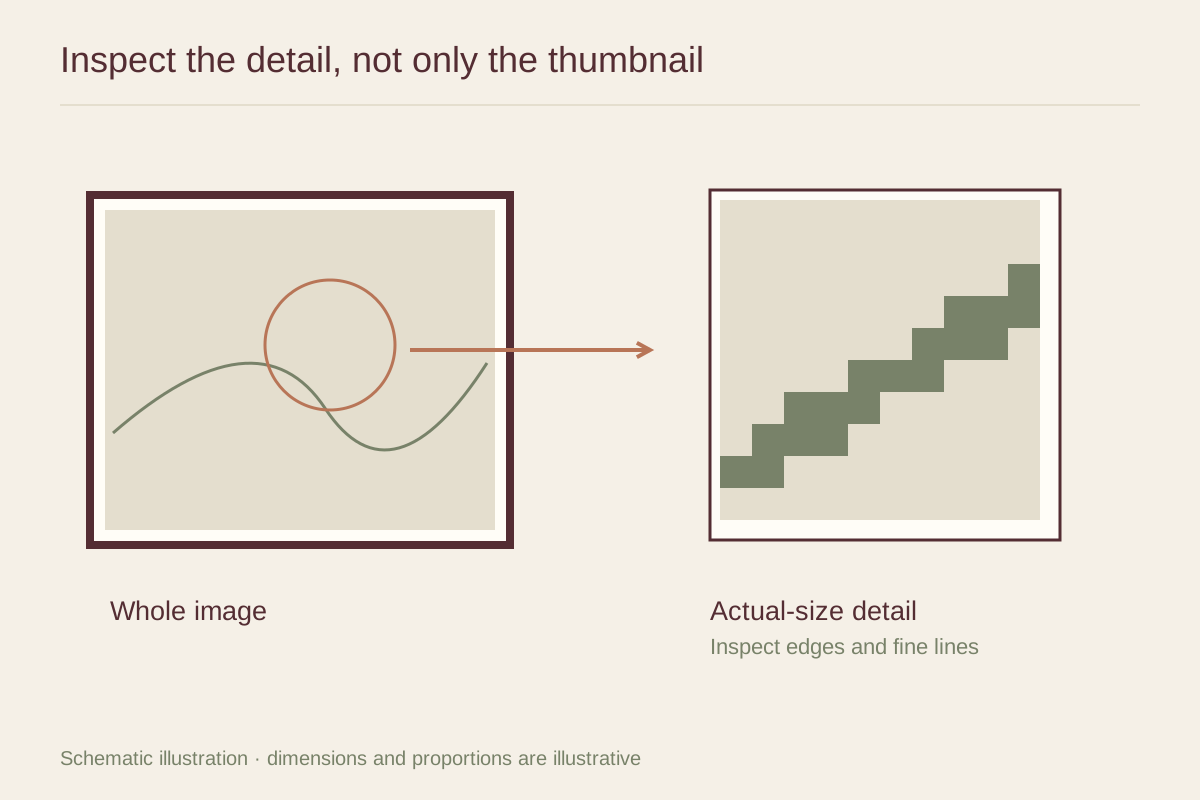
Request a detail photograph of the physical print, not only a zoomed crop of the digital source. A source file may contain more detail than the printing process or paper preserves. Conversely, a compressed website image may make an excellent print look worse than it is.
If the seller provides a full-size detail proof, ask which part of the final image it shows and whether it uses the same paper and printing process. Place it under the light you expect to use. Inspect fine lines, transitions between tones, and any area where color nearly merges with the paper.
Read resolution claims carefully
Pixel dimensions describe the amount of digital image data; print dimensions describe the physical output. Dividing pixels by the intended inches gives pixels per inch in that direction. For example, an image 6000 pixels wide printed 30 inches wide provides 200 pixels per inch before any resampling. That arithmetic is informative, but it does not certify print quality.
The source may already be blurred, heavily compressed, or enlarged from a smaller file. A numerical resolution claim cannot restore missing detail. Ask the seller whether the preview represents the recommended maximum size and whether the largest option has been physically proofed.
Printer dots per inch and image pixels per inch are different measurements, so a high printer specification alone does not tell you how much source detail the artwork contains. Use numbers to frame questions, then judge a real sample when the purchase is substantial.
Distinguish style from a production problem
A photograph may intentionally contain grain, motion blur, or shallow focus. A reproduction of a painting may show uneven brush edges and canvas texture. Those features are not automatically defects. Compare the print with the artist's description and ask which surface qualities belong to the original work.
Be more cautious about unexplained blocky edges, banding in smooth tones, or inconsistent sharpness that was not visible in the listing. These may have several causes, including the preview itself, so ask for clarification rather than diagnosing the process from a tiny image.
Protect the important crop
Large size options sometimes use a different aspect ratio. Check whether the image is cropped, surrounded by a border, or stretched. Stretching changes proportions; cropping can remove an edge detail; adding a border changes the visible image size within the same sheet dimensions.
Confirm the exact finished image and frame dimensions in writing. If the largest size remains uncertain, a smaller print with a thoughtful mat may be a better choice than a larger one bought on the strength of a room mockup. Scale should serve the image you want to see.